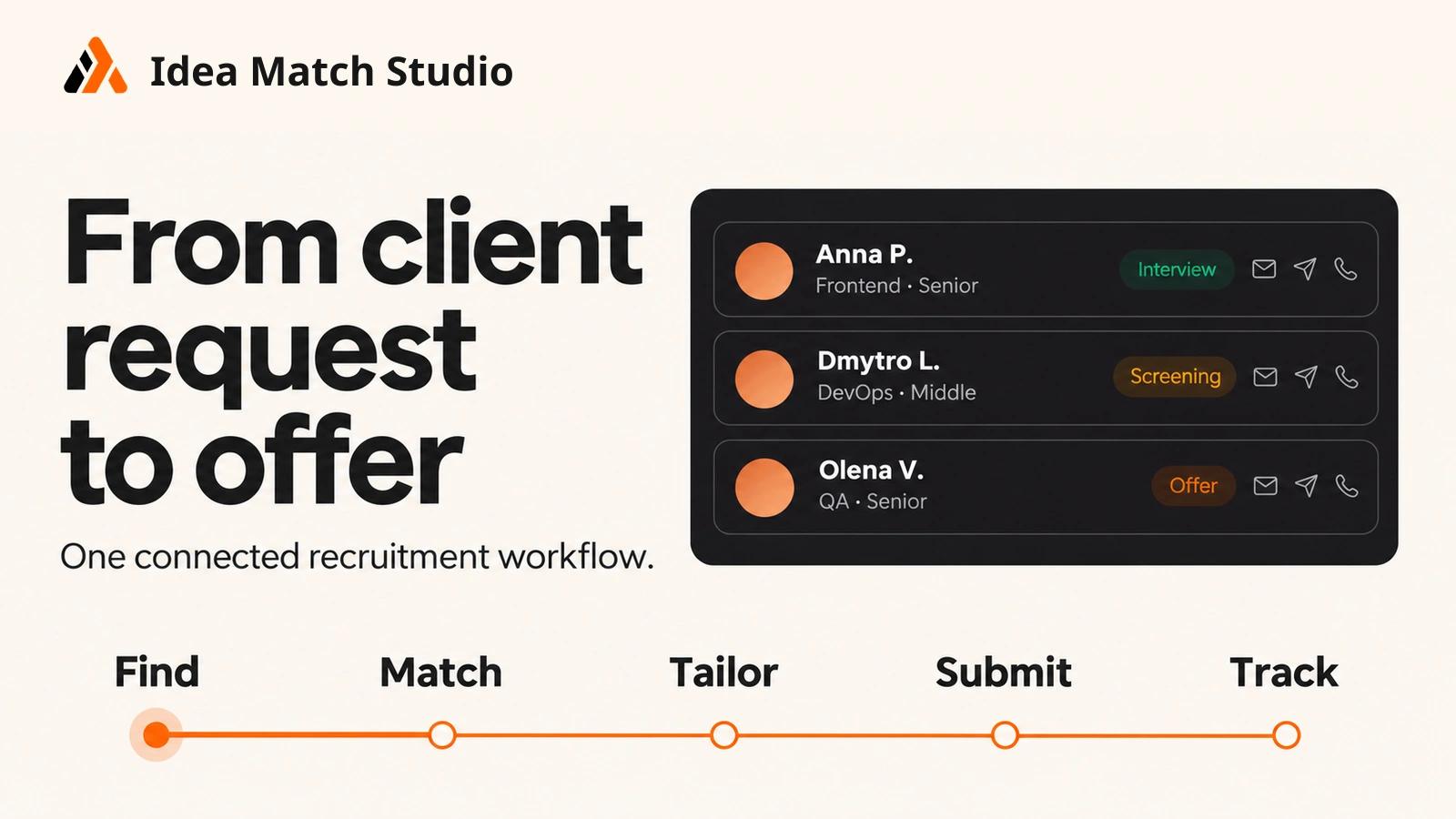
A staffing team can have an extensive candidate database and still struggle to answer a straightforward client request. Relevant profiles may be spread across an applicant tracking system, CV files, spreadsheets and individual recruiters’ notes. Even after a candidate is found, the team must check the evidence against the brief, prepare a presentation for the client and track what happens next.
We built Idea Match Studio to connect those steps. It is an AI candidate operations platform for recruiting and staffing teams. This case study explains the workflow we designed, where AI assists and where the recruiter remains responsible for the decision.
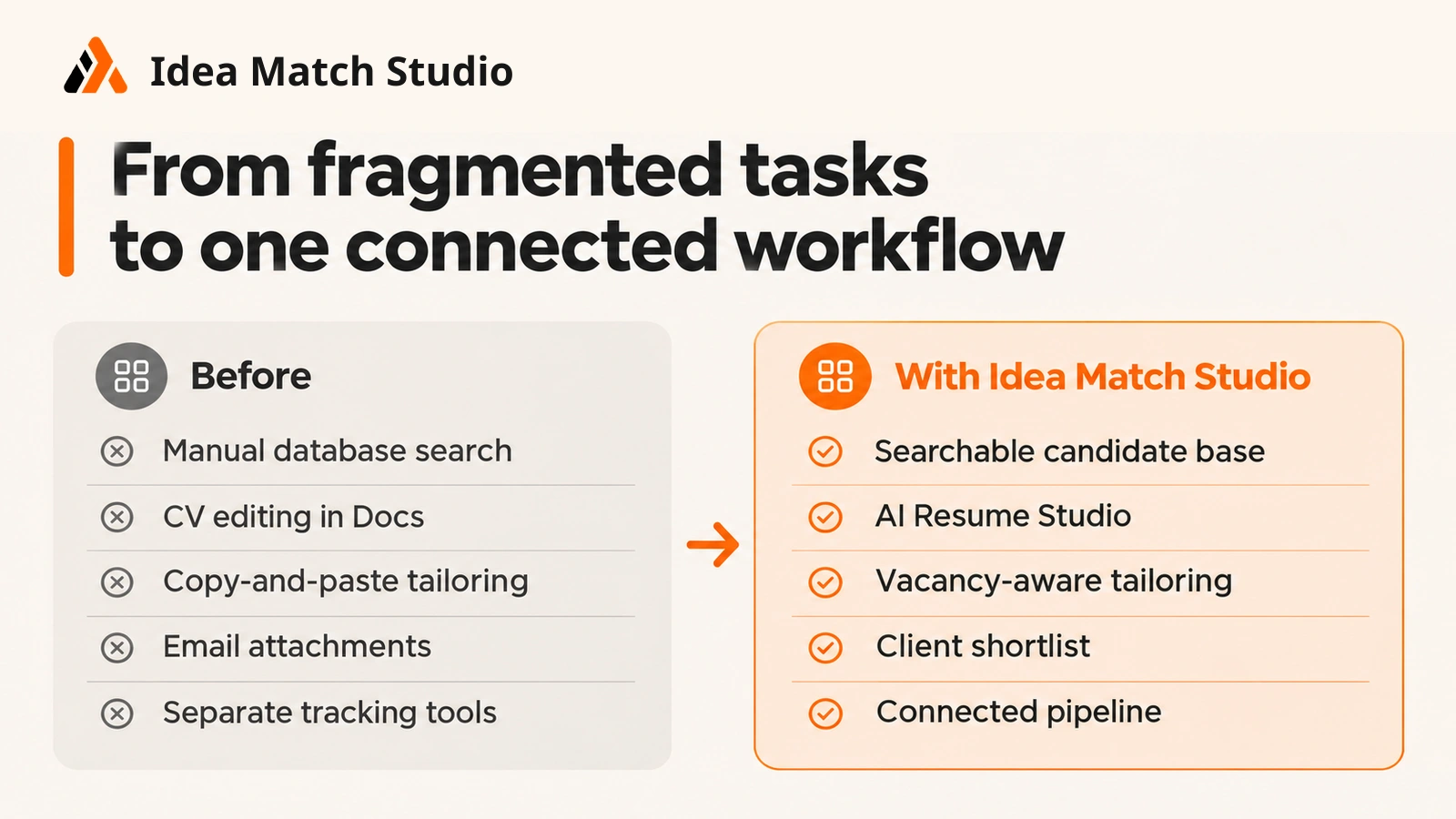
The problem: candidate information loses context between steps
Recruitment work rarely begins with a complete job description. A client may describe a project, an approximate team structure and a deadline. The staffing team then has to turn that request into roles, search its existing database, assess possible matches and present a defensible shortlist.
Each handoff can lose information:
 Requirements discussed with the client may not appear in the vacancy or search criteria.
- A candidate’s skills may be present in a CV but difficult to find in an unstructured database.
- A match score may look convincing without showing which requirements the CV actually supports.
- Interview notes may remain separate from the candidate profile.
- A client-facing CV may need to be prepared again for each submission.
- Pipeline data may be available only after someone manually reconciles several tools.
The product challenge was broader than generating a polished CV or adding an AI search box. We needed a workflow in which the client request, candidate evidence and recruiter decisions could stay connected.
The product approach: one connected recruitment workflow
Idea Match Studio brings together client requests, team planning, candidate records, vacancies, matching, interviews, client submissions and pipeline reporting. Its modules support a sequence of work rather than treating each AI output as an isolated document.
A recruiter can enter or review the information at every stage. AI helps structure and prepare work; it does not determine whom to submit or hire.
- Client request: Records the request and works from the client’s requirements.
- Planning: Prepares a proposed team structure and effort estimate for review.
- Candidate discovery: Searches the existing candidate database and reviews potential matches.
- Vacancy management: Creates a vacancy and handles incoming applications.
- Screening: Reviews candidate information, screening answers and match explanations.
- Interviews: Prepares questions and examines interview feedback.
- Client submission: Compares profiles and prepares a shortlist or candidate summary.
- Offer and reporting: Prepares an offer draft and reviews pipeline stages.
From a client request to team planning and resource allocation
The first technical challenge is converting a client request into information the rest of the workflow can use. A request for a development team can include required roles, technologies, seniority, project stages and constraints, but those details may arrive as free text.
Idea Match Studio uses the request as a starting point for AI-assisted team planning and effort estimation. The resulting plan helps the team discuss roles and work stages. It remains an estimate that needs human review, especially when the initial brief is incomplete. The estimate can be saved and selected specialists assigned directly to the project, with weeks and hours specified for their roles. This turns an initial plan into a concrete allocation of people and time. A responsible team member reviews and confirms the assignments.
Before proposing a team to a client, the staffing team needs to check availability for the required period. Idea Match Studio’s allocation view shows who is available now, who will become available within the next 14 days and whose workload exceeds 100%. Available hours and a date are shown for each specialist; the list can be filtered by workload, client, project, role, type and partner. This helps the team check whether the proposed people can work in the planned period and spot allocation conflicts before confirming resources with the client. The information remains useful only if the team keeps assignments up to date. This matters beyond estimation. A structured request gives the recruiter a better basis for vacancy creation, candidate search and later comparison. If a requirement changes, the team needs to understand what changed in the brief before treating an earlier match as current.
Searching the candidate database and assessing matches
For a staffing company, its existing candidate database is often the first place to look. Idea Match Studio supports importing candidate information and searching the database against a vacancy or client request.
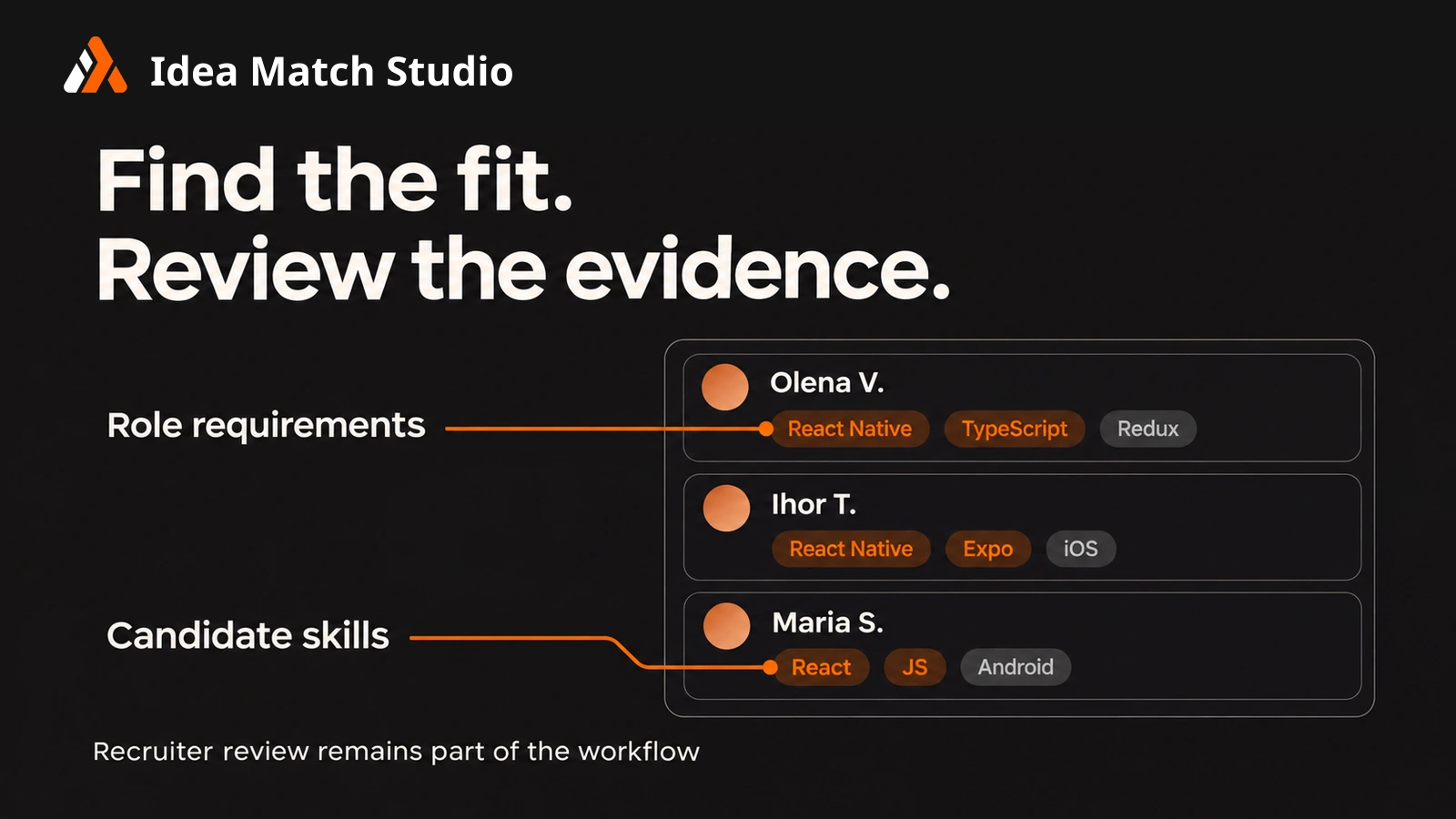
The AI Matcher helps identify potential candidates and explain the assessment. A useful match cannot rely on a score alone: the recruiter needs to see which requirements are supported by the candidate’s information and which are missing or unclear.
We made one rule especially important in the matching logic: missing evidence in a CV must not be treated as evidence of a skill. If the document does not establish a requirement, the system should flag the gap rather than infer that the candidate probably has it. This makes the output more useful for screening and easier to challenge when a recruiter knows something the CV does not contain.
A match is a review aid, not a hiring verdict. The recruiter can check the source information, ask a follow-up question and decide whether the candidate belongs on the shortlist.
Connecting vacancies, applications and interviews
Candidate discovery is only one route into the pipeline. Idea Match Studio also supports creating a vacancy for a company website and reviewing applicants who respond to it.
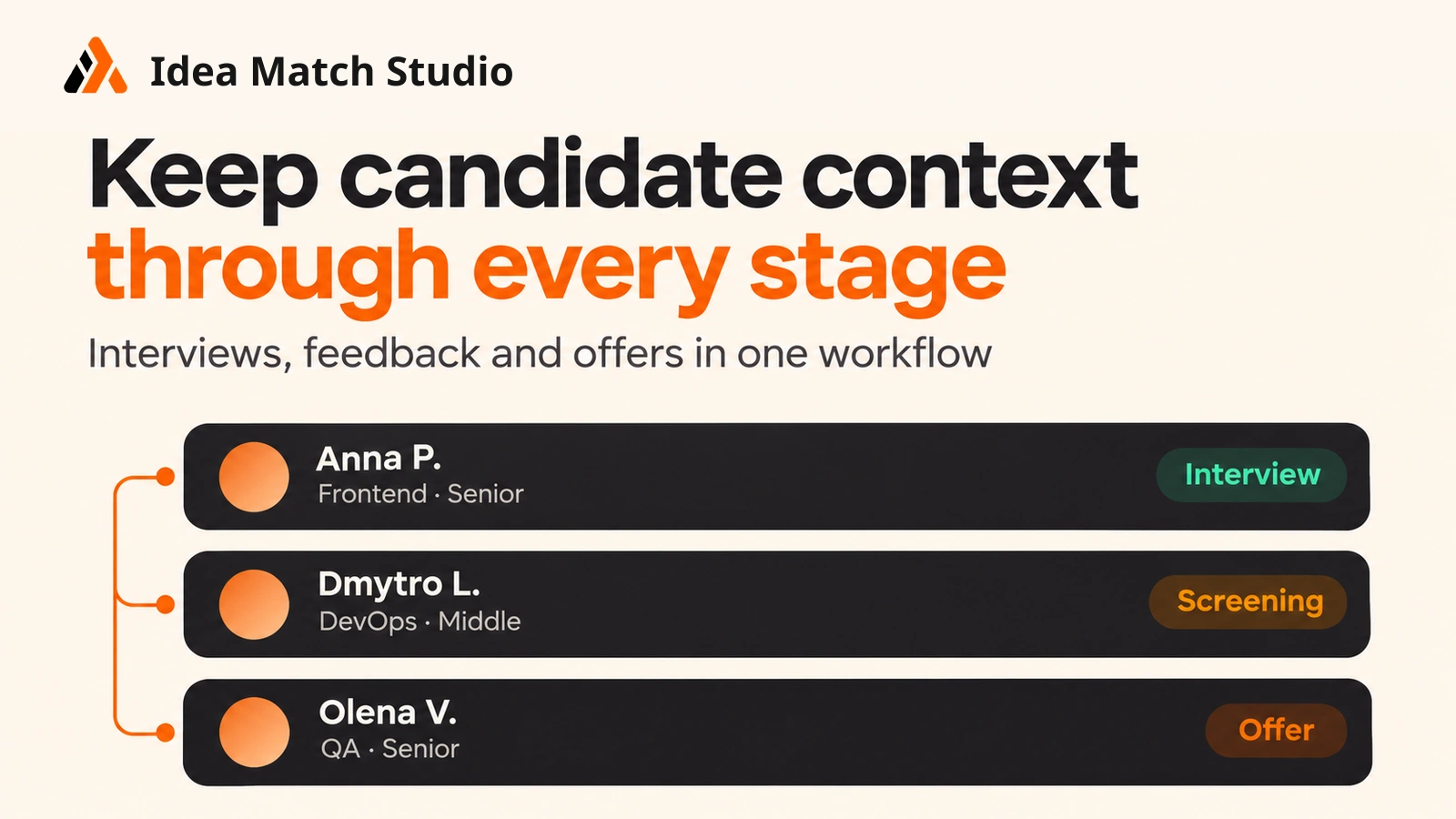
In the demonstrated workflow, the recruiter can inspect candidates in the pipeline alongside screening answers and interview information. The product also supports preparing interview questions and reviewing an interview report with candidate quotes. Keeping that material attached to the candidate’s progress helps the team compare what the CV says with what the candidate actually explained.
This is a practical reason to connect vacancy management and interviews to the candidate database. A profile should become more informative as the team works with the person, rather than being reduced to the original uploaded CV. Interview scorecards provide a shared set of assessment criteria. Each interviewer submits an independent assessment before seeing colleagues’ scores. This sequence helps reduce the influence of other people’s opinions on the initial judgement. A client’s technical lead can complete a scorecard through a link without creating an account. The team receives separate assessments against agreed criteria for further discussion; the final decision remains with people.
Preparing a shortlist the client can evaluate
Finding a candidate internally is not the same as presenting one to a client. A submission needs to make relevant experience clear while accurately representing what has and has not been verified.
Idea Match Studio supports candidate comparison, client-facing summaries and CV preparation using a team’s own templates. The recruiter can review the material before sharing a shortlist. The workflow also includes the ability to share selected candidates with a client, while keeping the internal assessment process under the staffing team’s control.
The client request provides the assessment criteria; the candidate record supplies the evidence; screening and interviews add context; and the recruiter makes the final submission decision. The client receives a considered shortlist instead of a collection of reformatted files.
Supporting the final stages without removing human review
The demonstrated workflow continues through an AI-assisted offer draft and a dashboard showing recruitment pipeline stages. Drafting can reduce repetitive writing, but the terms and wording of an offer still require review by the responsible team.
Similarly, pipeline analytics are useful when they reflect the actual process: which candidates entered a stage, where work is waiting and what happened after a shortlist was shared. A dashboard cannot repair missing or inconsistent updates on its own. Its value depends on the team using the connected workflow.
What we learned while building it
Explainability matters more than a confident score. In candidate matching, an unsupported assumption can cause more harm than an explicitly missing requirement. The team adjusted its assessment approach so that absent CV evidence is identified as a gap.
The workflow must follow the recruiter’s work. Search, matching, CV preparation and client submission are closely related, but they answer different questions. Keeping them connected reduces repeated preparation while preserving the recruiter’s ability to inspect each step.
AI output needs a clear review point. Team estimates, interview questions, candidate summaries and offer drafts are useful starting materials. None should silently become a final decision or client commitment.
A product demonstration is not a performance study. The end-to-end demo shows what the platform can do in one scenario. It does not establish a measured reduction in time to hire, an improvement in placement rate or guaranteed accuracy. Those outcomes require data from real customer workflows.
The result: a system designed around the full request-to-offer journey
Idea Match Studio demonstrates a connected path from a client request through planning, candidate discovery, screening, interviews, shortlist preparation and an offer draft. Its central design decision is to keep candidate evidence and recruiter judgement visible as information moves between stages.
For Idea Team, the project is also an example of building a B2B product around a specific operational problem. The aim was to identify where structured data, search, assisted drafting and human review could make a fragmented staffing workflow easier to manage.
Frequently Asked Questions
Is Idea Match Studio an ATS?
Idea Match Studio covers parts of the recruitment workflow typically handled in an ATS, including candidate records, vacancies and pipeline tracking. It also connects those records to AI-assisted matching, interview preparation, CV creation and client shortlists. Whether a team uses it alongside an existing ATS or as its main workspace depends on its current setup.
How does AI candidate matching work?
The matcher compares information in a candidate’s profile with the requirements of a vacancy or client request. It shows the recruiter where it found relevant evidence and where information is missing. A match score supports review; it does not replace screening or a hiring decision.
Does the AI reject candidates automatically?
The workflow described in this case study keeps candidate review and submission decisions with the recruiter. A missing skill in a CV may mean the information was not documented, so the recruiter can verify it with the candidate instead of treating the score as a final verdict.
Can recruiters use their existing candidate database?
Idea Match Studio supports bringing candidate information into the platform so the team can search and assess existing profiles against new requests. The exact import route and any ATS integration should be checked against the organisation’s setup.
Can a staffing team share candidates with clients?
Recruiters can prepare candidate summaries or a shortlist and share selected profiles with a client. They review the information before sending it; internal notes and match assessments should be handled according to the team’s sharing settings.
What does the demo prove?
The demo shows a connected workflow from a client request to an offer draft. It demonstrates product functionality in an example scenario. It does not, by itself, establish a measured reduction in time to hire or guaranteed matching accuracy.
Explore Idea Match Studio — https://idea-match.studio/ to see the product and its workflow.